
Music AI: MV Video Generator
Video & Music AI - Create Video & Make SongsMusic & Audio
4.51.09K Reviews
- Version
- 1.8.0
- Installs
- 5.00M
- Age Rating
- Teen
Screenshots
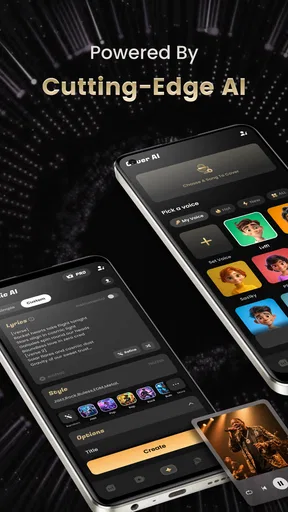
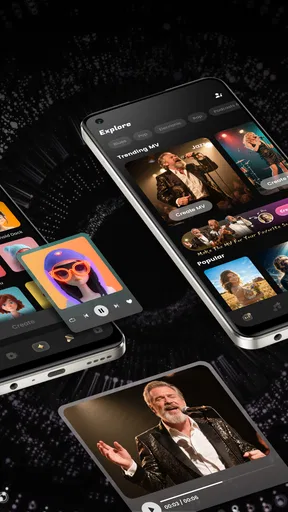
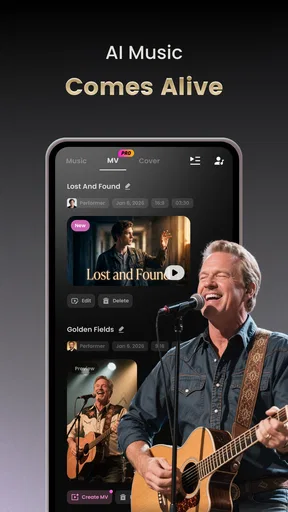

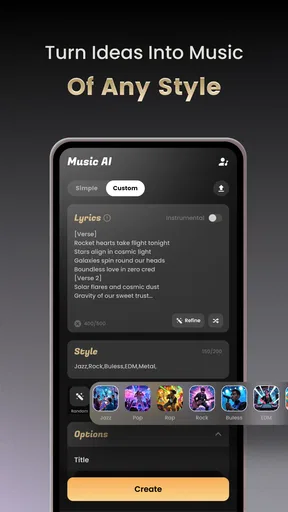
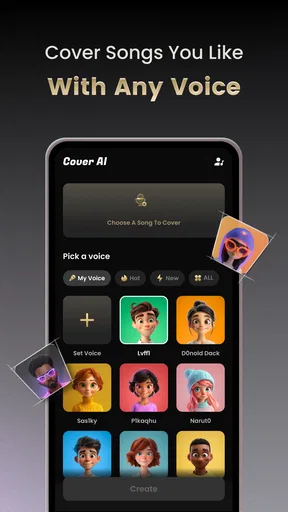
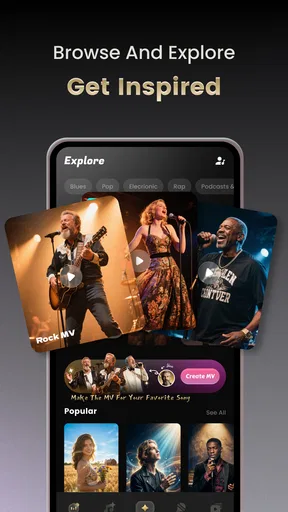
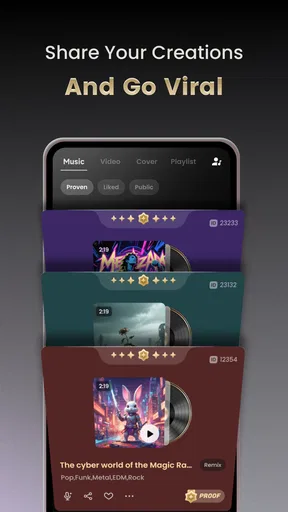
Our Review of Music AI: MV Video Generator
 Analysis by Appyee
I tend to judge creative apps by a practical question: do they help me get from an idea to something I can actually use, without making the process feel like another job? Music AI: MV Video Generator is aimed at people who want to pair music with AI-assisted visuals, and its appeal is the chance to make a quick, shareable result from a phone. That is a useful promise, though it is worth approaching the app as a creative starting point rather than assuming every generated video will be ready for a polished release.
What the free starting point means
The app is free to download, which makes it easy to try before deciding whether it belongs in your regular creative toolkit. It also offers in-app purchases, with items ranging from $0.99 to $99.99. That is a wide spread, so I would check what a specific purchase unlocks in the app before spending. The free entry point is the clearest value: you can explore the experience without paying upfront, while any decision to buy should depend on whether a paid option solves a real need for you.
That distinction matters because “free” does not automatically mean every tool or export choice is included at no cost. I would treat the purchase range as a reason to be deliberate, not as a reason to assume you need to pay. Start with a small, personal project, see what the available workflow lets you do, and only consider an in-app purchase if you run into a concrete limit that affects the result you want.
Where the creative value comes from
The strongest potential value here is convenience. A music-led video can take time to assemble in a conventional editor: choosing footage, timing cuts, matching transitions, and making the visuals feel connected to the track. An AI-oriented app can make that first pass less intimidating, especially when you are experimenting rather than working from a detailed storyboard. For someone who has a song idea but no editing routine, getting a visual draft on a phone may be more useful than opening a complex desktop program and starting from a blank timeline.
I would also see the app as a way to test directions. If I were preparing a short teaser for a new track, I could use one pass to see whether a particular visual mood suits the music, then revise the concept before spending more time on editing elsewhere. That makes the output valuable even if I later refine it in another tool. The app’s role is not necessarily to replace every part of a production workflow; it can help turn an abstract thought into something visible.
How it fits alongside ordinary music and video tools
Compared with a standard video editor, this app is most appealing when the music is the starting point and you want AI to help shape the visuals. A traditional editor is often the better choice when you already know exactly which clips belong where, need precise control over timing, or are assembling a larger project from carefully selected footage. Those tools ask more of the user, but that extra control can be worth it for a finished promotional piece, a music video with a clear narrative, or a project that needs consistent visual details from beginning to end.
Compared with simply posting a track alongside a static image, an AI video workflow offers a more expressive way to introduce the music. The trade-off is that generated visuals may not reflect every detail of a song’s meaning or the artist’s personal style. I would use the result as a fast concept, social post, or experiment when flexibility matters more than exact art direction. If visual accuracy, custom footage, or frame-by-frame control is essential, I would choose a conventional editor instead.
A practical way to test it
For a useful first try, I would pick a short section of a track with a clear change in energy rather than beginning with a long song. A strong beat shift, a vocal entrance, or a change in mood gives you an easier way to judge whether the visuals feel connected to the music. Keep the first attempt simple and decide what you want the video to communicate before generating anything: announce a release, set a mood, or make a playful clip for friends. That small bit of planning makes it easier to assess the result instead of getting distracted by effects.
I would also compare the generated video with the track on its own before sharing it. Ask whether the imagery supports the music, whether the timing feels intentional, and whether any visual choice distracts from the part you want people to notice. If a draft is close but not quite right, changing the concept or trying a different direction may be more productive than layering on extra decoration. In AI-assisted creative work, a restrained idea can be easier to make coherent than an overloaded one.
Who is likely to get the most from it?
This is a natural fit for curious beginners, independent musicians who want to explore visual ideas, and people who enjoy making casual music-led clips without learning a full editing suite first. It may also suit someone who needs a rough visual for a group chat or a social post and values speed over detailed control. The best reason to try it is not that every result will look professional, but that the process can make experimentation feel accessible.
I would be more cautious if I were creating a client deliverable, a carefully choreographed music video, or a branded piece where every visual detail has to be approved. In those cases, predictable editing and direct control matter more than quick generation. It may also be a poor fit if you do not enjoy trying alternatives: AI-assisted creation can involve judging drafts and adjusting your approach rather than getting a perfect result from one tap.
Everyday use, without overcomplicating it
Imagine you have just recorded a song idea and want to show a friend the mood before you have time to plan a full video. You could use a brief excerpt as the basis for a visual draft, then send or save the result if it communicates the feeling you intended. If it misses the mark, you have still learned something useful: perhaps the track feels more reflective than energetic, or a literal visual direction is less effective than an abstract one. That is a modest but real creative payoff, even when the first result is not the final one.
For a creator sharing music publicly, I would treat a generated clip as one part of a broader presentation. The song should remain the focus, and the visuals should help someone decide to listen rather than compete with it. A quick draft can be handy for testing a post or announcing a work in progress, while a major release may justify a more deliberate edit. Matching the tool to the stakes is a better way to judge its value than expecting one mobile app to cover every production need.
Trying the creative workflow
First things first, downloading Music AI: MV Video Generator is a breeze. Available on both Android and iOS, it’s just a quick visit to the App Store or Google Play, and you’re ready to rock. Once installed, the app greets you with a user-friendly interface that even my tech-challenged cousin could navigate.
The setup is straightforward. You simply select a song from your library or choose from the app’s extensive music collection. What’s cool is the app’s ability to sync visuals perfectly with the rhythm and beats of the music. It’s like having a mini Spielberg in your pocket.
Features That Make You Go Wow
Now, let’s dive into the features. The app boasts an impressive array of templates and effects. Whether you’re into retro vibes or modern aesthetics, there’s something for everyone. I personally loved experimenting with the glitch effects and the neon filters – it was like stepping into a digital art gallery.
Another standout feature is the AI-driven scene matching. The app analyzes the mood and tempo of your track and suggests visuals that complement it. It’s like having a creative partner who just gets your vibe. And if you’re feeling adventurous, you can manually tweak the scenes and transitions for a more personalized touch.
The Process: From Zero to Video Hero
Creating a video is as easy as pie. After picking your song and template, the app guides you through a series of simple steps. You can trim your audio, add text overlays, and even insert fun stickers. The real magic happens when you hit that ‘Generate’ button. In just a few minutes, you’ve got a video ready to share with the world.
Sharing options are plentiful. You can post directly to social media platforms or save the video to your device. I shared my first creation on Instagram, and the feedback was overwhelmingly positive. Friends couldn’t believe I made it using an app!
Why You’ll Love It
One of the reasons I’m hooked on this app is its versatility. Whether you’re a musician looking to promote your latest track or just someone who wants to have fun with video creation, it caters to all. It’s also a fantastic tool for those who want to experiment with visual storytelling without a steep learning curve.
The app is constantly updated with new features and templates, keeping things fresh and exciting. Plus, there’s a supportive community where you can share your creations and gain inspiration from others.
A Few Things to Consider
While the app is mostly a joy to use, it’s not without its quirks. Occasionally, the rendering process can be a bit slow, especially for videos with complex effects. But honestly, the end result is worth the wait. Another thing to note is that some premium features require in-app purchases, but the free version is comprehensive enough for most users.
Its Music & Audio category is a sensible home for a tool that puts tracks at the center of visual creation. The developer is Video & Music AI - Create Video & Make Songs, and the app is marked for Everyone. It was released on April 24, 2024, and version 1.7.2 is the current version. Those details help set expectations: this is a focused mobile creative app, not a general-purpose editing workstation.
There is already a sizeable audience trying it: it has over 5 million installs and an average rating of 4.5 from around 168,000 ratings, alongside 810 written reviews. I take those figures as signs that many people are willing to explore the concept, not as proof that every workflow will suit every creator. Personal fit still depends on whether you want AI to help shape a music video or prefer to control each editing decision yourself.
On Android, the minimum operating system requirement is 8.1. If you are deciding whether to install it, I would also think about the kind of result you need and whether you are comfortable beginning with a generated draft. The app is most compelling when you want to experiment, make a quick music-led clip, or find a visual direction. It is less compelling when precise manual editing is the main point of the project.
All in all, Music AI: MV Video Generator is a must-try for anyone interested in music video production. It’s fun, intuitive, and remarkably powerful for a mobile app. So, why not give it a whirl and unleash your inner director? You just might surprise yourself with what you create!
Verdict
Strengths of Music AI: MV Video Generator
- Easy-to-use interface for quick edits.
- High-quality video output with AI enhancement.
- Wide range of music tracks available.
- Fast rendering speeds for quick outputs.
- Supports multiple video formats.
Limitations of Music AI: MV Video Generator
- Limited customization for advanced users.
- Occasional glitches in music synchronization.
- Requires strong internet for optimal use.
- Subscription needed for premium features.
- Ads can be intrusive in the free version.
Other Releases by Video & Music AI - Create Video & Make Songs
View All
Manga AI - AI Comic Generator
Comics4.0
Similar Picks in This Category
View All
YouTube Music
Google LLC4.4

Samsung Music
Samsung Electronics Co., Ltd.3.8

Spotify: Music and Podcasts
Spotify AB4.3

JioSaavn - Music & Podcasts
Saavn Media Limited4.3

Lark Player:Music Player & MP3
Lark Player Studio - Music, MP3 & Video Player4.6

StarMaker: Sing Karaoke Songs
SKYWORK AI PTE. LTD.4.3
Frequently Asked Questions
What features does Music AI: MV Video Generator offer?
Music AI: MV Video Generator offers a range of features including AI-powered video creation, customizable templates, and seamless integration with popular music tracks. Users can create high-quality music videos with automated editing tools and special effects, making it ideal for both beginners and experienced video creators. The app also supports various export options for sharing across platforms.
Is Music AI: MV Video Generator user-friendly for beginners?
Yes, Music AI: MV Video Generator is designed to be user-friendly for beginners. It offers an intuitive interface with step-by-step guidance for creating music videos. The app includes pre-designed templates and automated editing tools, allowing users with no prior video editing experience to produce professional-looking videos effortlessly.
Are there any in-app purchases or subscription fees?
Music AI: MV Video Generator offers a free version with basic features, but there are in-app purchases and subscription options available. These provide access to premium templates, additional music tracks, and advanced editing tools. Users can choose a plan that suits their needs, whether they prefer a one-time purchase or a monthly subscription model.
Can I use my own music and videos in the app?
Yes, you can use your own music and videos in Music AI: MV Video Generator. The app allows users to upload personal music files and video clips to create customized music videos. This feature ensures that users can personalize their content, making each video unique and tailored to their preferences.
What are the system requirements for using the app?
Music AI: MV Video Generator requires a compatible Android or iOS device with a minimum operating system version specified by the developers. It is recommended to have a device with ample storage and a good processor to ensure smooth performance. Checking the app store for specific compatibility information is advised before downloading.
